If you want to know how to precondition battery before charging, start with one simple fact: an electric vehicle charges most efficiently when its battery is within a controlled temperature range. A cold pack resists high charging power, while an overheated pack can trigger software limits. Preconditioning is the vehicle's way of bringing the battery closer to its preferred operating temperature before energy starts moving quickly.
This is not the same as warming the cabin. Cabin climate control affects passengers; battery preconditioning manages the high-voltage pack. The two systems can run together, but they solve different problems. On a winter road trip, using the wrong setting can leave you comfortable inside the car while the charging curve remains stubbornly slow outside it.
What battery preconditioning actually does
When a battery is cold, the cells cannot accept high current as easily. The vehicle's battery management system limits power to reduce stress and protect the chemistry. That is why a fast charger rated at 150 kW might initially deliver 35 kW to a car that has just arrived after sitting outside overnight.
When you learn how to precondition battery before charging, you are really learning how the vehicle prepares its cells for a faster charging session. Depending on the model, the car can use waste heat from the motor and inverter, electrical resistance heating, or a combination of both. The process consumes some energy before arrival, but that energy can be recovered through a shorter and more productive charging stop.
Battery preconditioning can also matter in hot weather. A pack that is already warm from highway driving may need cooling rather than heating. The vehicle handles that automatically when the function is properly activated, but the charging station must usually be selected through the built-in navigation system.
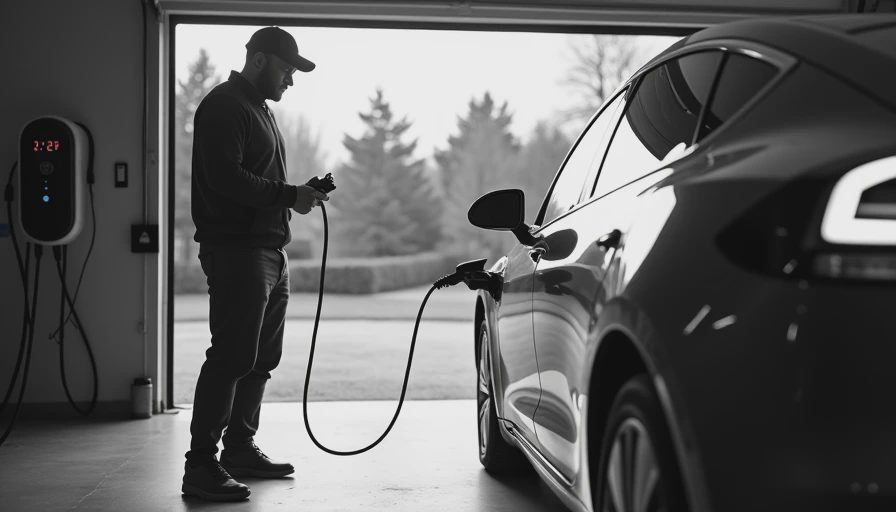
How to precondition battery before charging in the navigation system
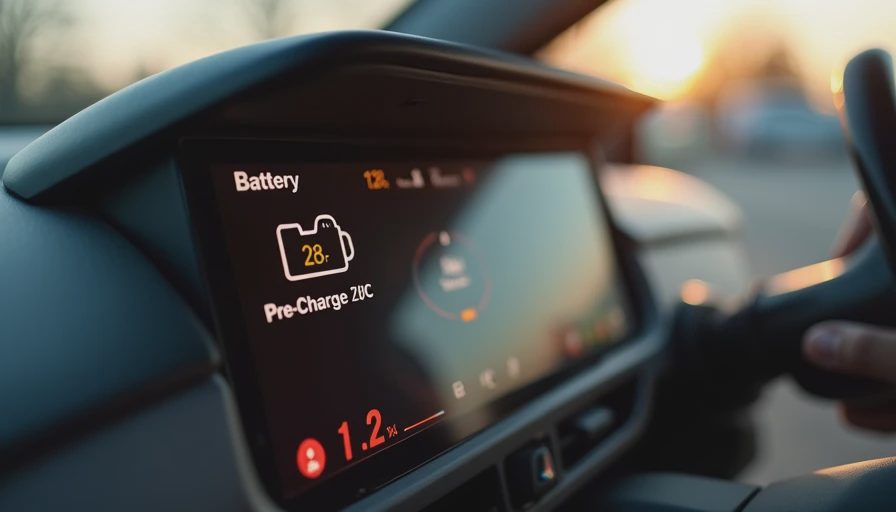
The most reliable method is to enter a compatible DC fast charger as the destination or as a stop in the vehicle's factory navigation system. Many EVs, including models from Tesla, Hyundai, Kia, Ford, Rivian, Mercedes-Benz, and BMW, use the route and arrival time to begin conditioning automatically. Exact menu names differ by software version, so the instrument cluster should show a battery-conditioning message or icon when the process starts.
A repeatable procedure looks like this:
- Check the outside temperature, state of charge, and expected charging location.
- Confirm that the station is supported by the vehicle's navigation database.
- Set the fast charger as the active destination, not merely as a saved favorite.
- Watch for a conditioning notification, rising battery temperature, or a battery icon with a heat symbol.
- Arrive with enough charge to avoid an emergency stop, but not so much that the car cannot accept meaningful power.
The last step matters. A battery at 80 percent will normally charge more slowly than one at 15 percent because charging power tapers as the pack fills. Preconditioning cannot defeat that taper. It only helps the vehicle reach its best available rate sooner.
Timing, temperature, and state of charge
How to precondition battery before charging depends heavily on the weather and route length. In mild conditions, the car may need only 15 to 25 minutes of driving before a fast-charging stop. In freezing weather, 30 to 45 minutes is a more realistic planning window. A short trip from a cold garage to a charger may not provide enough time for the pack to warm fully.
Cold-soaked vehicles are the difficult case. If the car has been parked for several hours at 20 degrees Fahrenheit, starting navigation immediately before leaving will not create instant heat. The system needs time, energy, and usually some driving load. Plugging into a home Level 2 charger while the battery is cold may also start slowly, but the lower power makes the limitation less noticeable.
At home, scheduling can help. Some vehicles warm the battery before departure when a departure time is programmed, especially while connected to a wall charger. This is useful for morning travel because the energy comes from the grid rather than reducing the driving range. It also improves regenerative braking availability, which can be limited until the battery reaches a suitable temperature.
Why a fast charger may still be slow
Even after you understand how to precondition battery before charging, a lower-than-expected power reading does not automatically indicate a fault. Charging speed depends on battery temperature, state of charge, charger capability, battery age, pack voltage, and the number of vehicles sharing a site cabinet.
For example, a vehicle may briefly reach 170 kW at 18 percent, fall to 120 kW around 35 percent, and then taper below 80 kW near 60 percent. That can be normal. Another vehicle on the same connector may show a different curve because its pack is smaller, colder, or already near the upper charging limit.
Record the useful evidence: ambient temperature, arrival state of charge, charger brand, displayed power, session duration, and software version. A screenshot at arrival and another five minutes later is more valuable than a vague note saying that charging felt slow. If the car repeatedly delivers low power in moderate weather at a low state of charge, then compare the result with the manufacturer's expected curve and inspect for software updates or service alerts.
Common mistakes that waste the benefit
The most common error is selecting a charger in a third-party app while expecting the vehicle to precondition automatically. Some cars recognize only destinations entered into their own navigation system. If the car cannot identify the charger as a charging stop, the battery may remain cold until the connector is already plugged in.
Another mistake is confusing cabin preheating with battery conditioning. Remote-starting the climate system can warm the interior and sometimes the battery, but it does not guarantee fast-charging preparation. A dedicated battery setting, route planner, or charger destination is more dependable.
Drivers also arrive with an unnecessarily high state of charge. Starting a fast-charge session at 65 percent can make a perfectly healthy battery look slow because the normal taper has already begun. For long trips, charging from roughly 10 to 20 percent toward 60 or 70 percent is often more time-efficient than waiting for 90 percent, unless the extra range is genuinely needed.
Finally, do not repeatedly force high-power charging on a battery that is displaying a temperature warning. The management system is protecting the pack. Resetting the car or swapping chargers will not change the underlying thermal condition.
A practical test for your own EV
To test how to precondition battery before charging on your vehicle, choose the same fast-charging site and run two sessions under similar conditions. Begin one session after driving directly to the charger with navigation active. Begin the other after a short trip without selecting the charger as the destination. Keep the starting state of charge within a few percentage points and note the weather.
Compare the first 10 minutes, not just the final charging time. Look at initial power, time spent below 50 kW, and the point where tapering begins. Repeat the test in warm and cold weather if possible. A spreadsheet with columns for date, software version, temperature, battery percentage, charger, and peak power will reveal patterns quickly.
The main lesson is simple: use the car's navigation, allow enough driving time, arrive at a moderate state of charge, and record what happened. Once you know how to precondition battery before charging for your specific model, charging stops become more predictable. The dashboard still has opinions, but at least you will have timestamps to argue with it.


No letters yet — be the first guest to write.