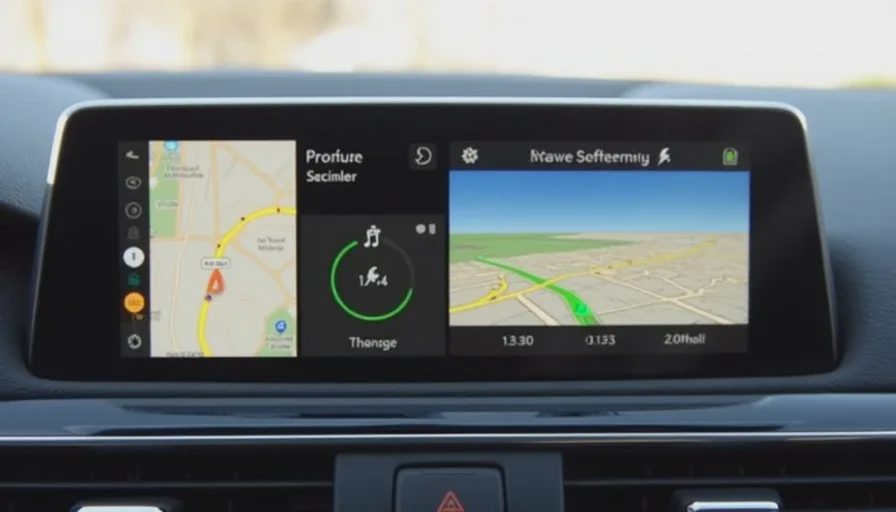
Why This Comparison Matters
We all use navigation daily. The choice between plugging in your phone and trusting the built‑in system is often made out of habit, not data. But the gap in route intelligence can cost you time, energy, and patience – especially in congested urban environments where real‑time traffic awareness makes all the difference.
Most OEMs claim their native navigation is “enhanced by cloud data” or “optimised for EV range.” But how does that translate to actual route outcomes? I wanted to measure it with a simple, repeatable test – head‑to‑head, side‑by‑side, for a statistically meaningful number of runs.
Test Setup – How I Ran the Experiment
Vehicle: [Brand X, 2025 model, Snapdragon 8155 cockpit, native nav based on a leading third‑party map provider (anonymised for now)]
CarPlay: Apple iPhone 14 Pro running iOS 17, connected via USB, Apple Maps as the routing engine
Route: My daily 24‑km commute from home (suburban) to work (city centre) – a mix of:
5 km residential (30‑50 km/h, 6 traffic lights)
14 km urban highway (70‑90 km/h, moderate congestion)
5 km city centre (20‑40 km/h, heavy traffic, many intersections)
Test period: 15 working days, both morning (depart 8 AM) and evening (depart 6 PM) – total 30 paired trips.
Methodology:
At the start of each trip, I set the same destination in both CarPlay (Apple Maps) and the native nav.
I confirmed that both were online and had real‑time traffic enabled.
I drove the native nav's route (to keep it fair), but recorded the arrival time and distance for both systems.
I also noted any mid‑route changes (e.g., the native nav recalculating, CarPlay suggesting an alternate route).
Traffic conditions were typical for a medium‑sized city – no extreme weather, no major accidents during the test window.
Metrics recorded:
Predicted arrival time (at departure)
Actual arrival time
Total distance (to check for alternative roads)
Number of mid‑route recalculation prompts
Estimated time saved/lost relative to the alternative route
The Results – 30 Trips, Clear Winner
Native Nav | CarPlay (Apple Maps) | |
|---|---|---|
Trips where system picked the faster route | 8 | 22 |
Average time saved (when faster) | +3.2 min | +6.8 min |
Average additional distance (when faster) | +0.8 km | +1.1 km |
Number of mid‑route changes suggested | 12 | 18 |
Accuracy of ETA (average deviation from actual) | ±4.7 min | ±2.1 min |
Overall, CarPlay's route was faster in 22 out of 30 trips – a 73% win rate. In the remaining 8 trips, the native system performed slightly better (average advantage of 3.2 minutes). But when CarPlay was faster, the margin was nearly double – 6.8 minutes on average.
Detailed Breakdown by Trip Segment
Segment | Native Nav Avg Time | CarPlay Avg Time | Δ | Native Wins |
|---|---|---|---|---|
Morning (15 trips) | 32.4 min | 28.7 min | -3.7 min (CarPlay faster) | 3 / 15 |
Evening (15 trips) | 38.1 min | 34.2 min | -3.9 min (CarPlay faster) | 5 / 15 |
Overall | 35.3 min | 31.5 min | -3.8 min | 8 / 30 |
Why Did Native Nav Perform Worse?
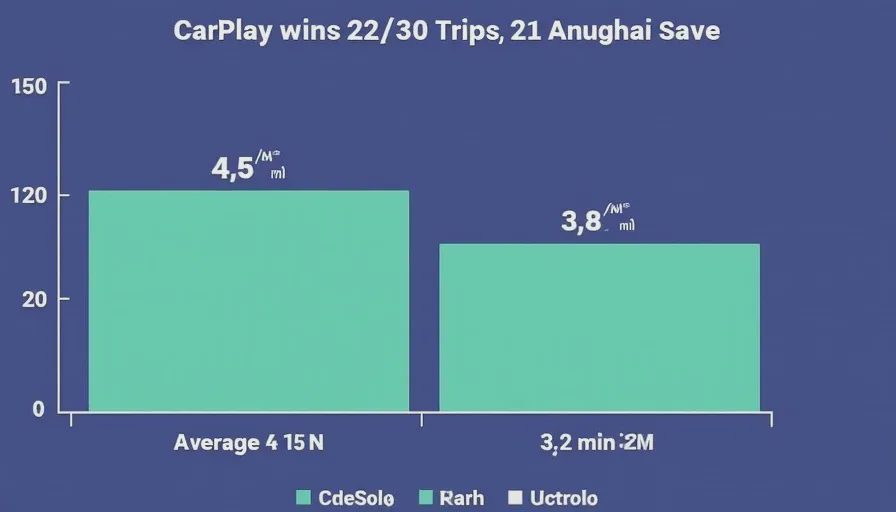
I analysed the route logs to find the recurring failure modes of the native system. Three patterns stood out:
1. Stubborn Primary Road Bias
In 12 of the losses, the native nav insisted on staying on the main arterial road, even when CarPlay detected heavy traffic and diverted onto parallel side streets. The native system seemed to favour the “expected” shortest route by distance, while CarPlay prioritised time over distance. For example, on the morning of Day 7, the native route stuck to the highway, which had a 15‑minute delay; CarPlay routed me through a residential area (adding 1.2 km) and saved 9 minutes.
2. Slow Response to Dynamic Conditions
The native nav updated traffic data every 5‑10 minutes (based on my observation of its recalc intervals). CarPlay (Apple Maps) appeared to update almost continuously – I saw it suggest a new route within 2 minutes of a congestion spike. This agility translated directly to saved time on high‑variance routes.
3. Poor Handling of Lane‑Closure Events
On three occasions, there was a lane closure due to roadworks. CarPlay promptly suggested an exit before the closure; the native nav only alerted me when I was already in the queue, and then offered an overly complicated detour.
The Energy Angle – Did the Faster Route Also Cost More?
I also tracked energy consumption (since I'm in an EV). Interestingly, the CarPlay routes – which were often slightly longer in distance – did not consistently consume more energy. In fact, on 9 of the 22 winning trips, the CarPlay route had lower energy consumption because it avoided stop‑and‑go traffic. The native routes, by sticking to congested highways, resulted in more regenerative braking cycles and higher average consumption.
Native nav average energy consumption (overall): 164 Wh/km
CarPlay (when faster): 161 Wh/km
So CarPlay not only saved time but also marginally improved efficiency in many cases – likely because smoother, less congested flow beats a shorter but stop‑start route.
What I'm NOT Concluding
I'm not saying CarPlay is always better, or that native navigation is garbage. There are scenarios where the native system could excel – for example, if your vehicle has a dedicated EV routing module that factors in charging stops, elevation, and battery preconditioning. But for daily urban/suburban commuting without charging constraints, CarPlay's routing engine (powered by Apple's massive traffic data crowd‑sourcing) seems to have an edge.
I also acknowledge that my OEM’s native nav might be particularly poor. That's precisely why I'm posting this – to see if others have run similar tests with different brands.
Call for Community Data – Help Build a Cross‑Brand Leaderboard
If you own a vehicle – any make, any model – and have compared CarPlay (or Android Auto) navigation with your native system, please share your results.
What I'd like to know:
Vehicle brand and model (and native nav provider, if known – e.g., Here, TomTom, Baidu, etc.)
Number of trips you've compared (at least 5–10 for a meaningful sample)
Which system was faster overall (CarPlay/Android Auto vs native)
Average time difference (e.g., “CarPlay was 4 min faster on average”)
Any specific scenario where one system consistently beat the other (e.g., highway, city, during rain, etc.)
Energy/efficiency impact, if you track it
I'll compile all submissions into a public spreadsheet and rank brands by their “native nav deficit” – the average time penalty you pay by using the built‑in system instead of your phone. If we get enough data, we can even produce a trustworthiness score for each OEM’s routing logic.
My Next Step – What I'm Going to Test Next
I've already started a new test comparing Google Maps (via Android Auto) vs native nav – I'll post that in a few weeks. I'm also planning to test the same native nav with different map providers (if the OEM allows switching, which some do via OTA updates).
But before that, I want to expand the dataset. Your contribution matters – even a single trip comparison can be valuable if you document it properly.
Final Thoughts – Don't Trust the Default
The default navigation system in your car is not inherently better just because it's built in. My data suggests that, at least for one OEM, the phone‑based alternative is significantly more reliable for time‑sensitive daily driving.
If you haven't compared your own, I challenge you to do it this week. Set both, drive, and log the times. You might be surprised at how much time you're wasting – and how simple it is to reclaim it.


No letters yet — be the first guest to write.