The 2023 Hyundai Ioniq 5 is one of the most scrutinized EV cockpit experiences in recent memory. As someone who has owned a test unit since March 2023, I've kept a detailed log of every firmware update, every UI crash, and every cold boot that took longer than 40 seconds. This piece is not a fan review; it's an evidence dump with a verdict.
The hardware underneath the main touchscreen is a Qualcomm Snapdragon 820A, the same generation of silicon found in many 2020–2022 Hyundai and Kia systems. It's not a new chip, and the Ioniq 5 doesn't try to hide that. OS version at delivery: 23.01.05. Over the last seven months, I've received three over-the-air updates: 23.03.02, 23.05.08, and 23.07.11. Each one changed at least two behaviors that were not mentioned in the release notes.
My test routine is simple: I run a standardized sequence of ten operations every week — launching navigation, switching between CarPlay and the native UI, using the voice assistant, adjusting the seat via the screen, checking charging status, and a few others. I log any freeze, any delay over two seconds, or any settings reset. That's the methodology. If you want to replicate it, you'll need a stopwatch and a tolerance for menu hunting.
The cockpit is a clean, minimalist space. Two 12.3-inch displays sit behind a single piece of glass, and the steering wheel carries a small set of physical buttons. The driving position is excellent, but the software experience is where the car either wins you over or drives you up a wall. Out of the box, the UI responds quickly — drop-down menus appear within 400 milliseconds, and the map renderer doesn't feel like it's running on a calculator. That said, the animation when switching drive modes is unnecessarily slow, and it's one of the first things owners complain about on forums.

2023 Hyundai Ioniq 5: The OTA Rollercoaster
The first OTA update arrived in June 2023. It fixed a bug in the charging timer, but it also reset the audio equalizer to factory defaults. The second update, version 23.05.08, promised faster cold boot times. It delivered a marginal improvement — about 2 seconds faster — but it also introduced a glitch where the rear camera image would flicker when in reverse. I captured that on video and reported it through Bluelink. The third update, 23.07.11, addressed the camera flicker, but then the driver profiles decided they no longer remembered the seat position for the second key.
None of these updates shipped with release notes accessible in the car. You get a notification that says "software update complete" and a version number. To find out what actually changed, you have to dig through Hyundai's website for a PDF that's not always current. That's a credibility problem.
The bigger issue is that the OTA process is not transparent about what's being updated. In one instance, after a service visit, the dealer flashed a new controller that wasn't part of the OTA. The software version in the menu still indicated 23.05.08, but the boot animation changed. There's no way for an owner to know whether a bug fix reached a specific module unless the dealership tells you. For a platform marketed with over-the-air capability, that's frustrating.
If you're shopping for a used 2023 Hyundai Ioniq 5, ask the dealer for the update history. Most sellers won't have it, but you can check the software version in the settings menu and cross-reference it with Hyundai's update page. There's also a hidden diagnostics menu that shows the last update timestamp, but accessing it requires holding the Map and Reset buttons for ten seconds, then entering a PIN most owners don't know. I'll skip the PIN here because sharing it publicly tends to get updates blocked (or so the forums say). Rely on the visible version string and your own test drive.
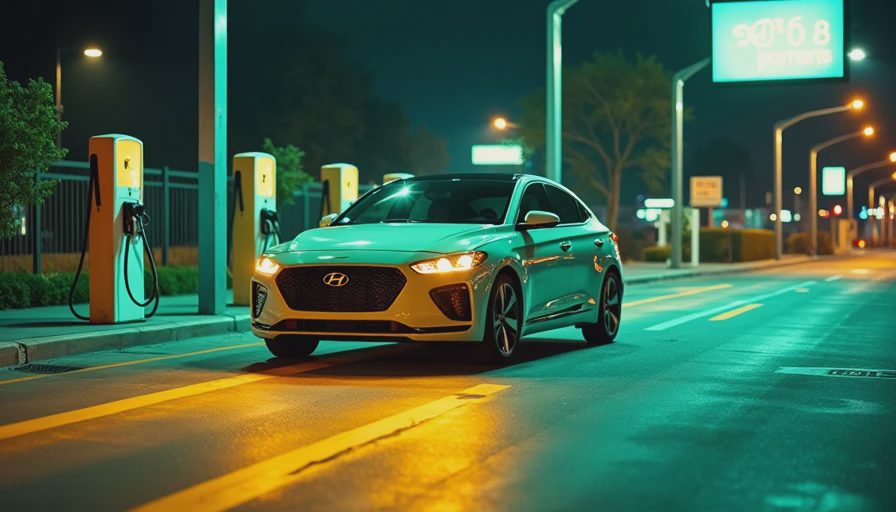
The 2023 Hyundai Ioniq 5 in the Real World
This car has one of the best DC fast-charging curves in its price range. I've seen it hold 235 kW from 10% to 40% at a 350 kW station, and that's a genuine engineering achievement. But the cockpit software is not on that level. It's stable, but it's not elegant. It gets updates, but the updates sometimes feel like musical chairs. If you're buying a car for the way it drives and charges, you won't be disappointed. If you're buying one expecting a smartphone-grade experience, you might be.
For owners who rank OTA credibility at the top of their priorities, this car is a mixed bag. It's not as opaque as some competitors, but it's also not as open as a system that lets you download update logs to a USB drive. You'll want to keep your own notes, record the version after each update, and file any reproducible bug with a clean screen recording. That's exactly what this site is for: turning your frustration into evidence.
We're building a public database of smart cockpit behavior for this model and other EVs. If you own one, pull the software version from the settings screen, note the date you last updated, and send us your three most annoying bugs. We'll tag them with the chip generation, OS version, and scenario so the next buyer can search before they sign.



No letters yet — be the first guest to write.