Welcome to FirmwareFault.
This is not a car club. It is not a place to vent about a bad infotainment screen or a sluggish OTA. It is a structured, searchable archive of smart cockpit performance data and OTA credibility records – built by people who believe that a bug report is more valuable than a complaint.
If you are here to lurk and learn, you are welcome. If you are here to post, you are our co‑researchers. Every thread you start adds a data point that the next buyer – or the next engineer – will use to make a smarter decision.
But a data point is only useful if it is reusable. That means it must be complete, tagged, and reproducible. This guide walks you through the FirmwareFault submission template – what each field means, what to include, and how to turn your frustration into evidence that travels.
Why a Template?
Most car forums are a mess of anecdotal complaints: “My screen is laggy” – followed by 50 replies of “same” – and zero actionable information.
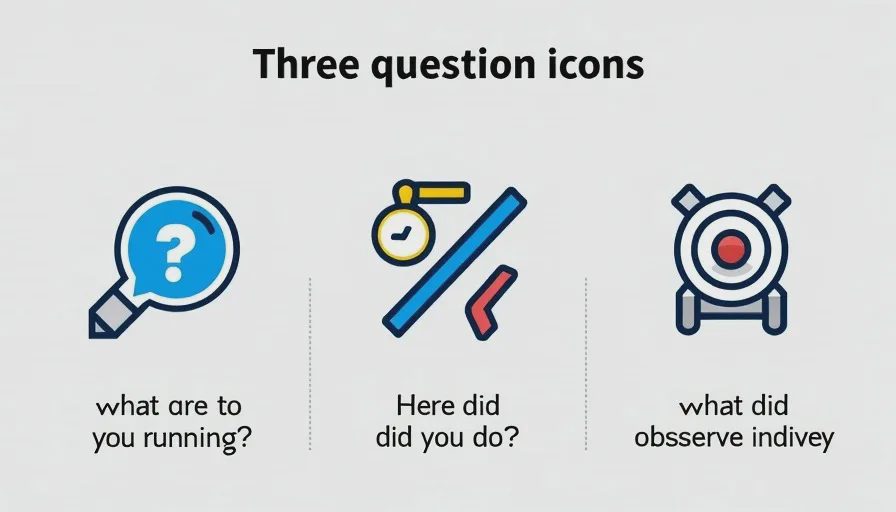
FirmwareFault is different. Every post must answer three questions:
What exactly are you running? (chip + OS version)
What exactly did you do? (scenario + reproduction steps)
What exactly did you observe? (evidence – logs, screenshots, videos, numbers)
This template forces you to think like an engineer – and makes your post instantly useful to anyone searching for the same combination of hardware, software, and conditions.
The Submission Template – Field by Field
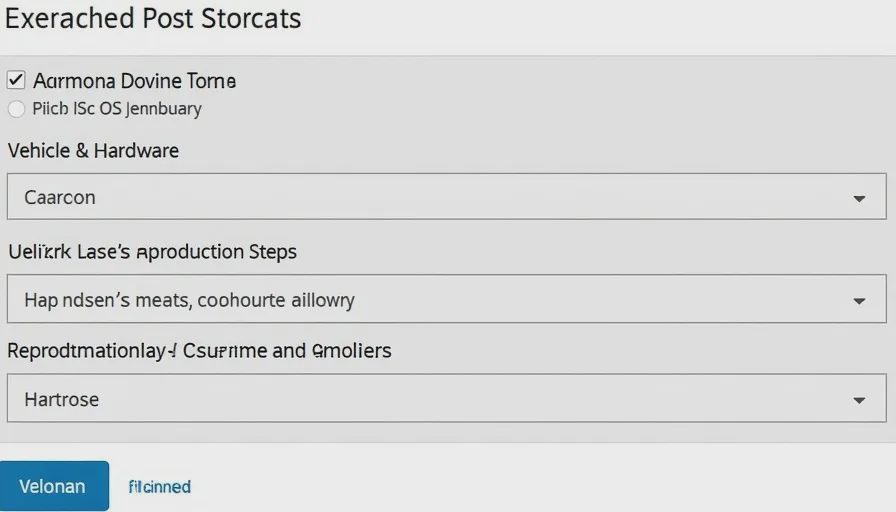
When you create a new thread, you will see a pre‑formatted structure. Fill it out completely. Here is what each section requires:
1. Vehicle & Hardware
Make / Model / Year / Trim – e.g., Zeekr 001, 2024, Performance
Chip / SoC – e.g., Snapdragon 8155 (SA8155P)
RAM / Storage – if known, e.g., 8 GB / 128 GB
Display configuration – e.g., single 15.4" centre screen + 8.8" cluster or triple‑screen layout
Why it matters: Performance varies dramatically between 8155 and 8295, and even between different storage sizes. Without this, your data cannot be compared.
2. OS & Software Version
OS name and version – e.g., ZEEKR OS 6.0 (build DI3.0_CN_2025Q1)
OTA version (if applicable) – e.g., v2026.07.1
Any relevant app versions – e.g., native navigation v3.2, music app v2.1
Why it matters: A bug fixed in one OTA may reappear in another. Version numbers are the only reliable way to track regressions.
3. Scenario / Trigger
Describe the exact situation – e.g., "Cold start, morning, ambient 8°C, parked outdoors"
What you were doing – e.g., "Opened navigation, set destination, then switched to music"
What you expected – "Voice wake‑up should work within 1 second"
What happened instead – "Wake‑up rate dropped below 40%"
Why it matters: A problem that only occurs in cold starts, with Bluetooth connected, is a different problem than one that happens all the time.
4. Reproduction Steps (Numbered)
Write a step‑by‑step guide that anyone can follow to reproduce the issue. Be obsessive.
Example:
Park vehicle outdoors overnight (ambient <10°C).
At 7:30 AM, start vehicle and wait 30 seconds for system boot.
Turn off HVAC, close windows, set phone to Do Not Disturb.
Say wake word "Hello X" at 70 dB, 5 seconds apart.
Repeat 20 times. Record success/failure.
Why it matters: If I cannot reproduce it, your post is just a story – not a data point.
5. Evidence
This is the most important section. Evidence can be:
Screenshots – of settings, error messages, diagnostic menus
Photos / videos – slow‑motion recording of screen behaviour, thermal camera images
Logs – ADB logs, CAN bus extracts, OBD‑II dumps (anonymised)
Measured numbers – frame rates, latency in milliseconds, temperature readings, battery percentages
Minimum requirement: At least one form of objective evidence. A photo of a laggy animation is better than a text description. A video with a frame counter is even better.
Why it matters: Evidence moves your post from “I feel it's slow” to “here is the data”. It also allows others to verify or challenge your findings.
Optional but Valuable – Add Context
If you have the time, add these extra details – they make your data even more reusable:
Ambient conditions – temperature, humidity, weather
Thermal status – was the system cold or warm? Did you measure any surface temperature?
Other active systems – climate, media, charging, etc.
Recent changes – did you just install a new app? Did you perform a factory reset?
Example – A Well‑Formed Post
Here is a real (anonymised) example that follows the template perfectly:
Vehicle: N7 Blue Ocean, 2024, Performance
Chip: Snapdragon 8155 (SA8155P)
RAM/Storage: 8 GB / 128 GB
OS Version: Blue Ocean 3.0 (OTA v2026.07.1)
Scenario: Cold start, morning (8°C), after OTA 3.0. ADAS disengagement rate increased sharply.
Reproduction Steps:
Park outdoors overnight (ambient ~8°C).
7:30 AM, start vehicle and wait 30 seconds.
Engage NOA on highway segment of standard 50‑km loop.
Drive at 110 km/h, stay in centre lane with clear markings.
Count every NOA disengagement (steering wheel vibration + take‑over request).
Evidence:
Dashcam video with CAN overlay showing confidence drop from 95% to 40% before disengagement.
CSV log of 3 runs: 22, 19, 21 disengagements per 50 km (pre‑OTA average: 7.2).
Screenshot of AIDA64 GPU tab showing no thermal throttling.
That post is immediately useful to any N7 owner on OTA 3.0, any engineer at the OEM, and any buyer considering the car.
Rules of the Road – Data Over Emotion
We do not censor opinions. But we do enforce one rule: claims without evidence are flagged and may be removed.
Do – post a video of the stutter, with frame counts.
Do not – post "this car is trash" without a single number.
Do – compare two OS versions with before/after data.
Do not – start a brand war without measurement.
If you are not sure whether your evidence is sufficient, post it anyway – the community will help you improve it. But if you cannot provide any evidence, consider whether your post belongs in the "Talk / Off‑Topic" lounge instead.
How to Make Your Data Reusable – Tagging & Search
Every post automatically includes the chip and OS version as tags. You can also add custom tags for:
Scenario – e.g.,
cold-start,highway,parking,chargingSymptom – e.g.,
frame-drop,voice-failure,latency-spikeAffected component – e.g.,
nav,bluetooth,climate,adas
These tags allow future users to filter by exactly their configuration – e.g., show me all posts with 8155 + Blue Ocean 3.0 + ADAS disengagement.
That is the power of structured data. One post alone is small; a thousand structured posts become a reference library.
What to Do If You Are Not Technical
Not everyone owns a thermal camera or knows how to capture ADB logs. That is fine.
Start with the basics:
Take a clear photo of the screen showing the problem.
Note the OS version (found in Settings > About).
Describe what you did in plain steps.
Even a simple, well‑documented observation is valuable. Other users can help you add technical depth later.
The Final Ask – Post Your First Report
FirmwareFault is only as good as the data we all share. If you have a cockpit frustration, a surprising benchmark result, or an OTA that changed something measurable, post it using the template.
Take five minutes to fill it out properly. That five minutes might save another owner hours of troubleshooting – or help an engineer pinpoint a regression.
Let's build the largest open‑source dataset of smart cockpit behaviour. One structured post at a time.


No letters yet — be the first guest to write.