The phrase air update ota regression fix list lucid sounds like a search query assembled by a frustrated engineer, which is exactly why it is useful. Lucid Air owners need more than a forum comment saying that an update is “better now.” They need the vehicle model, software build, affected feature, reproduction steps, and evidence showing whether a regression was actually fixed.
This guide treats Lucid software changes like a lab notebook. It does not assume every complaint is caused by an OTA update, and it does not treat every new version number as proof of improvement. The goal is a practical air update ota regression fix list lucid owners and used-car shoppers can maintain over time.
What counts as an OTA regression?
An over-the-air update is a software package delivered to the vehicle without a traditional service visit. It can change the infotainment interface, driver-assistance behavior, charging screens, phone connectivity, audio controls, navigation data, or background vehicle services. A regression happens when a function that worked in an earlier build becomes less reliable, slower, unavailable, or visibly different after the update.
That definition matters because “I dislike the new layout” is not automatically a regression. A measurable failure is stronger evidence. Examples include a navigation route disappearing after a restart, a Bluetooth connection failing on every second drive, a camera view loading late, or a control requiring four taps instead of two. A feature that was never promised, or one that changes because of a deliberate redesign, belongs in a separate category.
For each report, record the Lucid model and year, vehicle software version, phone model, date, approximate mileage, temperature, charging state, and whether the car was moving. Include a short video or screen recording when possible. Software bugs become much easier to diagnose when a report says “build 2.3.15, iPhone connected, vehicle parked, failure repeated three times” instead of simply “screen broken.”
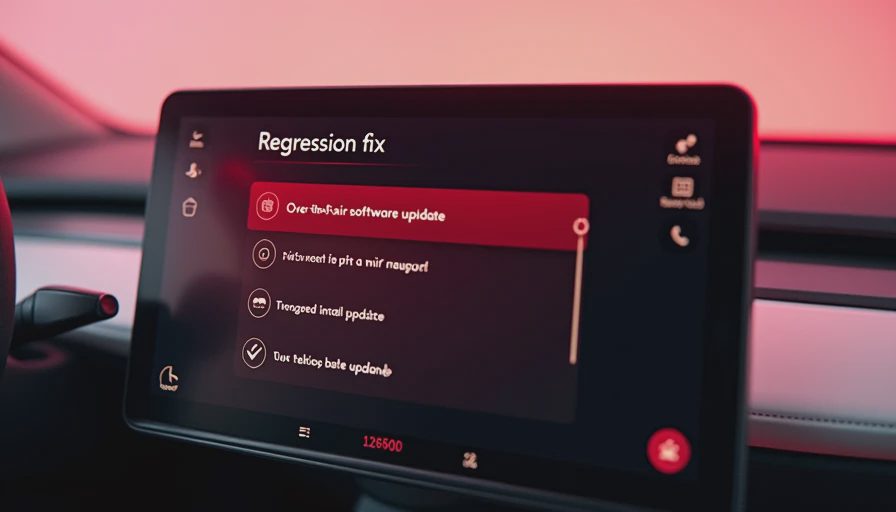
Building an air update ota regression fix list lucid owners can trust
Start with a table or spreadsheet containing one row per issue. Useful columns include issue ID, first observed date, last known good version, first bad version, affected subsystem, reproduction rate, severity, evidence link, and current status. The status should be precise: suspected regression, confirmed by multiple reports, acknowledged by support, fixed in release notes, or verified fixed by testing.
Do not merge separate failures just because they appeared after the same update. A slow boot and an intermittent charging schedule could have different causes. Keep them separate, then link them to the same software build if the timing supports that connection. This makes an air update ota regression fix list lucid more useful for future buyers because they can search for a specific feature rather than reading a pile of general complaints.
A good issue description follows a repeatable format. State the expected result, the actual result, the exact steps, and the number of successful or failed attempts. For example: “After selecting a saved home destination, the route should load within one minute. On build X, the map returns to the search screen in four of five attempts after a cold start.” That is evidence. “Navigation is terrible now” is a mood, not a test case.
Version numbers deserve equal care. Capture the full string shown in the vehicle, not just the month or marketing name. An update can roll out in stages, and two vehicles can show different packages while owners refer to both as the same campaign. Record when the vehicle received the update, when it rebooted, and whether the symptom appeared immediately or after several drives.
How to test a suspected Lucid regression
Use the same conditions before and after an update whenever possible. Park in the same location, use the same phone, select the same audio source, and perform the same sequence. For a driver-assistance complaint, note road type, lane markings, weather, traffic, and whether the feature was available at the time. Never create a risky test by removing attention from the road or overriding safety systems.
Run at least three trials for a simple cockpit function and more for an intermittent problem. Log success and failure separately. If a feature fails once and then works normally for a week, label it intermittent rather than fixed or broken. If a reboot clears the problem, record that workaround, but do not call it a repair. A workaround is useful operational information; it is not evidence that the underlying defect disappeared.
A controlled comparison can also expose confounding factors. Test the same phone with another vehicle, or test another phone with the Lucid Air. Disconnect wireless accessories, remove a recently installed application, and check whether the issue occurs only during charging. These checks do not prove the car is innocent, but they prevent a phone pairing problem from being placed incorrectly on the air update ota regression fix list lucid.
Reading release notes without overclaiming
Release notes are valuable, but they are not always a complete defect inventory. “Improved system stability” could refer to memory handling, startup behavior, connectivity, or a problem owners never noticed. It should not be treated as confirmation that a specific navigation or audio defect was fixed unless the symptom improves in testing.
Separate three kinds of evidence. First, official documentation identifies the delivered package and any named changes. Second, owner reproduction logs show what happened before and after installation. Third, support responses can establish that a report was received, but an acknowledgment is not the same as a shipped fix. Keep all three sources linked in the record.
When a new version appears, retest the highest-impact issues first. A failure that blocks charging schedules or repeatedly disables a core display deserves priority over a cosmetic spacing change. Retest on a cold start and after a normal drive, because some problems appear only after sleep, charging, or a phone reconnect.
What used Lucid buyers should ask for
A used-car buyer should request the current software version, recent service invoices, and any owner notes about recurring electronic problems. Ask whether the seller has observed issues with charging, the center display, Bluetooth, navigation, cameras, or driver-assistance alerts. Avoid accepting “it probably updated itself” as a complete answer. Ask when the last update occurred and what changed afterward.
Search the air update ota regression fix list lucid by symptom and version, not by general reputation. A clean record does not prove a vehicle is defect-free, while a long list does not prove the car is unbuyable. The important question is whether the issue is reproducible, documented, mitigated, and verified in a later build.
During a purchase inspection, perform a cold start, pair a phone, open navigation, check camera views, test charging initiation, and inspect warning messages. Allow enough time for the vehicle to enter a normal sleep cycle if an intermittent issue matters to your decision. A fifteen-minute demonstration can miss a problem that appears after an overnight charge.
A maintenance routine for the evidence archive
After every OTA update, take a screenshot of the version, run a short feature checklist, and compare results with the previous log. Keep original files rather than relying on cropped screenshots. Add dates to filenames and write down what changed while the memory is fresh.
Close an issue only after reproducing the original failure conditions and completing several successful trials. If the symptom vanishes without a clear software change, mark it as not reproduced rather than fixed. That distinction protects the archive from false certainty and gives the next Lucid owner something far more valuable than a confident comment: a traceable record of what the car did, when it did it, and whether the update earned its victory lap.


No letters yet — be the first guest to write.