An ota software update tracker app lucid owners can trust should do more than display a notification that new software is available. It should preserve the version number, installation time, vehicle behavior, and evidence of what changed afterward. Lucid vehicles are software-defined machines with multiple screens, driver-assistance systems, connectivity services, and control modules. When an update changes one of those systems, memory is not a measurement. A timestamped log is.
This guide explains how to create a practical update record for a Lucid Air or Lucid Gravity, what data matters, and how an independent tracker can turn scattered observations into useful ownership evidence. The goal is not to declare every update good or bad. The goal is to identify a repeatable change, reproduce it, and separate a real regression from one unusually confused commute.
What a Lucid update tracker should record
A useful ota software update tracker app lucid workflow begins before installation. Capture the vehicle model, model year, current software version, mileage, battery state, and date. If the vehicle reports an update package name or release identifier, save that exact text rather than paraphrasing it as “the spring update.” Marketing seasons are not version control.
Record the installation window as precisely as possible. A home Wi-Fi update completed at 2:14 a.m. provides a stronger reference point than “it installed sometime last week.” Also note whether the vehicle was charging, parked outdoors, connected to a phone, or using a particular driver profile. These details can matter when a complaint involves phone-key behavior, route planning, audio playback, or wake-word recognition.
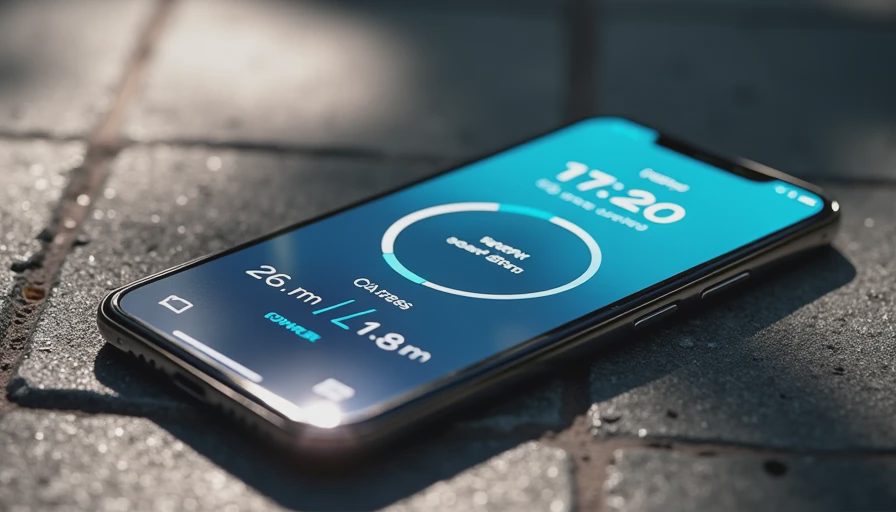
Screenshots are valuable, but they should not be the entire record. A screenshot can prove what the settings page displayed while leaving out the conditions that produced a fault. Pair it with a short text note: what happened, where it happened, how often it happened, and whether a restart changed the result. Five lines written immediately after a drive usually beat a dramatic paragraph written three weeks later.
A simple test method for Lucid software changes
The strongest ota software update tracker app lucid record uses a before-and-after comparison. Select a few functions that matter to daily driving: phone-key unlock, wireless charging, Bluetooth audio, navigation search, climate controls, driver-display behavior, and charging-session reporting. Test the same functions before and after the update under similar conditions.
For example, test phone-key access with the phone in the same pocket and the vehicle parked in the same garage. Try navigation voice entry on a familiar route with the same phone connected. Start a charging session at a comparable battery percentage and record whether the app reports the session promptly. This is not a laboratory with climate-controlled walls, but controlling obvious variables makes the result less theatrical and more useful.
Use a three-pass structure. First, perform the normal action once. Second, repeat it after locking the vehicle and waiting several minutes. Third, restart the relevant system or reconnect the phone, then repeat the action. Log each outcome as successful, delayed, failed, or not tested. “Feels slower” is a valid initial observation; “voice search took 18 seconds on three attempts after version X” is evidence another owner can evaluate.
Tracking regressions without turning the log into a rant
An ota software update tracker app lucid archive should make failures searchable. Use consistent tags such as connectivity, charging, navigation, audio, display, climate, driver assistance, and mobile app. Add the affected hardware when known, including phone model, operating system, and whether the vehicle uses a particular connectivity mode. If a behavior only appears on one device, that distinction can save hours of blaming the wrong system.
Describe the reproduction path in order. State the starting condition, the exact action, the visible result, and the expected result. Include frequency: one occurrence in ten attempts is different from ten failures in ten attempts. Note recovery behavior too. Did a screen reboot fix the issue? Did opening and closing the driver door help? Did the fault remain after a full vehicle sleep cycle?
Avoid assigning a root cause unless the evidence supports it. A frozen center display may involve an application, interface process, network request, or deeper vehicle controller. Calling it a “bad Qualcomm driver” because the symptom looks technical is still a guess. Good records preserve the observation while labeling the explanation as unconfirmed. Engineers appreciate this distinction, and future buyers should too.

What makes the data useful to a used-car buyer
A buyer researching a used Lucid does not need a pile of angry posts. They need a timeline. An ota software update tracker app lucid database can show whether an issue appeared immediately after a release, affected several vehicles, or disappeared after a later patch. That context changes the buying question from “Is this car buggy?” to “Which version is installed, and which behaviors should I verify during the test drive?”
Bring the record into the inspection. Confirm the software version in the vehicle settings, test the phone-key process, check the cameras and displays, run the climate controls, and inspect charging history if the seller permits it. If the seller says an issue was fixed, ask which update fixed it and when the vehicle received that package. A specific answer is more useful than “the car updated itself.”
This evidence also helps with resale. A complete service and software history can explain why a feature behaves differently from an older review. It can document a recurring issue for a service appointment without forcing the technician to reconstruct the story from memory. That is a modest advantage, but so is finding your keys before leaving the house.
Building a reliable tracker with ordinary tools
You do not need proprietary diagnostic equipment to begin. A spreadsheet can store version, date, mileage, test result, conditions, and notes. A phone folder can hold screenshots and short videos. A dedicated ota software update tracker app lucid workflow becomes more valuable when it adds searchable tags, duplicate reports, change history, and exportable records.
Use one row per test event rather than one row per complaint. “Bluetooth failed” is a complaint. “Version 2.3.18, Pixel phone, audio connected, no sound after vehicle restart, reproduced twice on May 8” is a test event. Keep the original observation even if a later update fixes it. Deleting old failures produces a cleaner dashboard and a worse history.
For privacy, remove addresses, contact names, phone numbers, and account identifiers before sharing a report. Blur license plates in images. Keep the vehicle identification number private unless a trusted service provider specifically requires it. Useful evidence should not become a second problem.
Why an evidence-first approach wins
The best ota software update tracker app lucid process is deliberately boring: record the baseline, install the update, repeat the test, preserve the artifacts, and publish the result with clear limits. That method resists both fan enthusiasm and update fatigue. It also gives Lucid owners a common vocabulary for comparing versions without pretending every vehicle, phone, network, or route is identical.
Start with five high-value checks and expand only when a pattern appears. After two or three updates, you will have a meaningful personal baseline. After many owners contribute comparable logs, the archive can reveal whether a change is isolated, common, temporary, or still unresolved. That is the difference between a comment thread and an evidence lab: one expresses frustration, while the other leaves a trail someone else can follow.


No letters yet — be the first guest to write.