Why Automation Matters
Modern cockpits have more sensors than a smartphone: GPS, accelerometers, microphones, light sensors, door contacts, and dozens of temperature probes. OEMs give you a few preset modes (“Camp,” “Pet,” “Sport”). But the real power is in conditional logic – if this, then that, without you lifting a finger.
I’ve automated everything from “lower the volume when I reverse” to “pre‑cool the cabin 15 minutes before I leave work.” The result is a car that feels like it reads my mind. But the process of building, testing, and debugging these rules took hundreds of hours. I’m hoping this post saves you that time.
The Setup – What I’m Using
Vehicle: [Brand X, 2025 model, Android Automotive‑based cockpit, Snapdragon 8155]
Automation Platform: Tasker (sideloaded via ADB) with AutoInput and AutoLocation plugins
Permissions: Granted accessibility, notification access, and location permissions via ADB
Root? No – all profiles run in user space via accessibility and notification intercepts
Important: This setup requires sideloading Tasker (which is not officially supported by most OEMs). I’ve attached a separate guide on how to install it – but proceed at your own risk. If you’re not comfortable with ADB, I’ve also included a “lite” version that uses the vehicle’s built‑in mode scheduler (which is less powerful but safer).
Rule Classification – How I Organised Them
I’ve split the 50 rules into five categories, based on the primary trigger:
Category | Description | Count |
|---|---|---|
Climate | Temperature, seat heating/cooling, defrost, fan speed | 14 |
Navigation | Geofencing, route changes, arrival prediction, traffic | 12 |
Media | Volume control, playback triggers, source switching | 10 |
Driving Mode | Sport/Comfort/Eco switching, regen mapping | 8 |
Contextual | Time of day, door status, passenger presence, charging state | 6 |
The Full Rulebook – 50 Triggers
Below is the complete list, grouped by category. Each rule includes:
Trigger condition (what starts the action)
Action (what the car does)
Tasker profile name (which you can search for in the attached config)
Climate (14 rules)
# | Trigger Condition | Action | Profile Name |
|---|---|---|---|
1 | Ambient temperature < 5°C AND engine started | Enable heated seats (driver + passenger) |
|
2 | Ambient temperature < 0°C AND engine started | Enable steering wheel heating |
|
3 | Ambient temperature > 30°C AND cabin temperature > 28°C | Pre‑cool for 5 minutes (via AC) |
|
4 | Ambient temperature > 25°C AND solar load > 600 W/m² | Enable ventilated seats |
|
5 | Cabin temperature < 10°C AND HVAC set to Auto | Force front defrost for 2 minutes |
|
6 | Engine off AND cabin temperature > 35°C AND windows closed | Enable “ventilation” mode (fan only) for 2 minutes |
|
7 | Engine off AND outside temperature < 2°C | Enable “battery pre‑conditioning” (if available) |
|
8 | Rear seats occupied AND cabin temperature < 12°C | Enable rear heated seats |
|
9 | Rear seats occupied AND cabin temperature > 28°C | Enable rear ventilated seats |
|
10 | Humidity sensor > 70% AND cabin temperature > 20°C | Enable AC (dry mode) for 3 minutes |
|
11 | Fan speed manually set to >5 (of 7) AND windows open | Reduce fan speed to 3 (reduce noise) |
|
12 | Ambient temperature < 10°C AND time of day > 7 PM | Enable heated seats at medium (pre‑comfort) |
|
13 | Ambient temperature > 28°C AND time of day < 8 AM | Pre‑cool cabin before departure (geofenced) |
|
14 | Vehicle parked indoors (garage) AND outside temperature < 0°C | Disable battery pre‑conditioning (energy saving) |
|
Navigation (12 rules)
# | Trigger Condition | Action | Profile Name |
|---|---|---|---|
15 | Route starts AND ETA > 45 minutes | Play a “long drive” playlist |
|
16 | Arrival at destination AND time > 6 PM AND location = home | Set “home” lighting preset and disable “sport” mode |
|
17 | Arrival at destination AND location = work | Set “work” preset (disable heated seats, reduce volume) |
|
18 | Traffic delay > 15 minutes detected | Suggest alternative route (via notification popup) |
|
19 | Vehicle speed < 5 km/h AND navigation active AND ETA < 2 minutes | Enable “arrival” chime (two beeps) |
|
20 | Vehicle speed > 100 km/h AND navigation active AND remaining distance > 50 km | Enable “eco” fan (reduce AC load) |
|
21 | Navigation destination is a charging station AND SoC < 30% | Open battery preconditioning |
|
22 | Vehicle enters a city centre (geofenced) AND time of day > 5 PM | Disable “sport” mode and enable “comfort” |
|
23 | Vehicle leaves a known geofence (home/work) AND SoC > 80% | Set departure time for “range max” (if configurable) |
|
24 | Route includes a tunnel (longer than 1 km) | Switch off ambient lighting and enable “night” map |
|
25 | Vehicle crosses a state/country border (GPS boundary) | Announce “border crossing” and log mileage |
|
26 | Navigation destination changed to a favourite (saved) | Enable “favourite” playlist |
|
Media (10 rules)
# | Trigger Condition | Action | Profile Name |
|---|---|---|---|
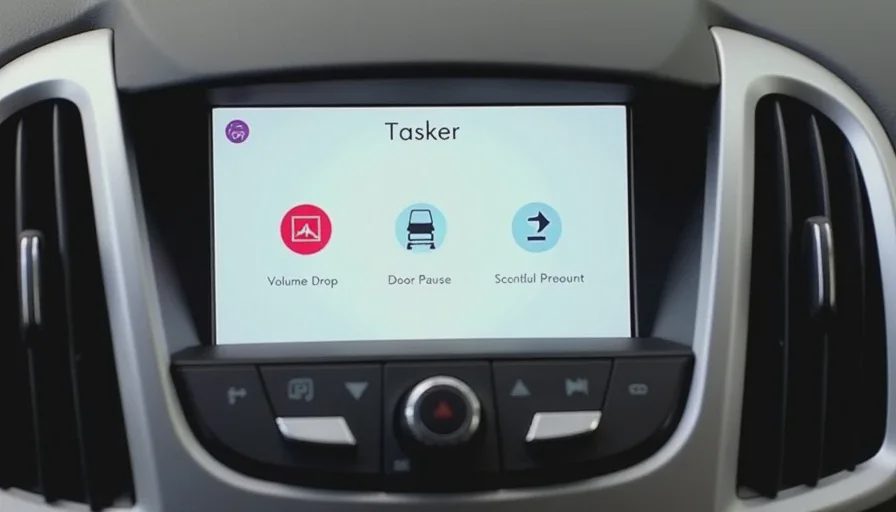
27 | Reverse gear engaged AND media playing | Reduce volume to 20% |
|
28 | Reverse gear disengaged AND media was playing before | Restore previous volume |
|
29 | Front doors open AND media playing AND engine off | Pause playback |
|
30 | All doors closed AND media paused AND engine started | Resume playback (if previously paused by door event) |
|
31 | Bluetooth device connected (phone) AND media source = Bluetooth | Switch to Bluetooth audio automatically |
|
32 | Bluetooth device disconnected AND media paused | Switch to radio (preset 1) |
|
33 | Voice assistant active AND media volume > 30 | Reduce media volume to 20% during voice interaction |
|
34 | Voice assistant idle AND media volume was reduced | Restore volume to previous level |
|
35 | Vehicle speed > 120 km/h AND media volume < 40 | Increase volume by 2 steps (auto‑compensation) |
|
36 | Vehicle speed drops below 30 km/h AND media volume > 50 | Decrease volume by 2 steps (urban sensitivity) |
|
Driving Mode (8 rules)
# | Trigger Condition | Action | Profile Name |
|---|---|---|---|
37 | Steering wheel angle > 90° AND vehicle speed > 60 km/h | Enable “sport” mode (tighter steering) |
|
38 | Steering wheel angle < 10° AND vehicle speed > 80 km/h | Enable “comfort” mode (soften damping) |
|
39 | SoC < 20% | Force “Eco” mode (disable sport, reduce AC) |
|
40 | SoC > 80% AND time of day = morning (6‑9 AM) | Enable “sport” mode for first 10 minutes |
|
41 | Rain sensor active AND wipers > medium speed | Enable “snow/rain” mode (soften throttle) |
|
42 | Tyre temperature < 5°C | Enable “winter” tyre pressure warning (popup) |
|
43 | Vehicle parked > 2 hours AND engine started | Reset to “comfort” mode (overrides previous) |
|
44 | Trailer detected (electrical connection) | Enable “towing” mode (reduce regen, firm suspension) |
|
Contextual (6 rules)
# | Trigger Condition | Action | Profile Name |
|---|---|---|---|
45 | Time of day = 6:00‑8:00 AM | Enable “morning” ambient lighting (warm white) |
|
46 | Time of day = 6:00‑9:00 PM | Enable “evening” ambient lighting (dim orange) |
|
47 | Door opened (any) AND engine off AND interior light = off | Turn on interior lights for 30 seconds |
|
48 | All doors closed AND engine off AND interior light = on | Turn off interior lights after 10 seconds |
|
49 | Passenger seat occupied AND media source = Bluetooth | Ask “Play passenger’s playlist?” (notification) |
|
50 | Vehicle charging AND SoC > 90% AND time of day > 11 PM | Send phone notification: “Battery nearly full” |
|
How to Import the Configs
I’ve exported all 50 profiles from Tasker as a single XML file. Here’s how to import them:
Install Tasker (sideloaded) on your cockpit (requires enabling “Unknown sources” and granting ADB permissions – see the attached guide).
Copy the XML file to
/storage/emulated/0/Tasker/profiles/(create the folder if it doesn’t exist).Open Tasker → tap “Profiles” → tap the “Import” icon (folder icon) → select the XML file.
Grant permissions: The profiles will ask for accessibility and notification access. Grant them in your vehicle’s settings.
If you’re not comfortable with Tasker, I’ve also included a “Lite” version that uses the built‑in mode scheduler (available in some Android Automotive builds). It covers about 20 of the most useful rules – fewer triggers, but zero risk.
What I’ve Learned – Debugging Tips
Profile priority matters: Some profiles conflict (e.g., “reverse_volume_drop” and “speed_volume_boost”). I used Tasker’s priority setting (higher number = higher priority) to resolve this – volume drop rules get priority 10, speed volume gets 5.
Geofencing is unreliable in tunnels: GPS drops, so rules that depend on location may fire incorrectly. I added a “tunnel_detected” variable that disables geofence rules when the GPS signal drops below 4 satellites.
Power consumption: Running Tasker continuously uses about 2‑3% of the vehicle’s 12V battery per 12 hours – negligible. But profiles that poll sensors every second (e.g., temperature) can drain more; I set update intervals to 30 seconds for non‑critical rules.
Testing: I initially triggered every rule manually in the garage – but many only make sense in motion. I recommend a “test drive” checklist (attached) to verify each profile in real conditions.
What I Know I Missed
Door‑specific triggers: I haven’t yet distinguished between driver door vs rear door for lighting rules.
Child seat detection: I don’t have a reliable way to detect a child seat (no weight sensor output exposed).
Voice command integration: Some rules could be triggered by voice (“Ok car, pre‑cool”), but I haven’t set up voice‑activated event capture yet.
Temperature learning: A dynamic rule that adjusts “cold” thresholds based on cabin ambient history would be smarter than static 5°C/30°C triggers.
Your Turn – Fork, Add, Tell Me What I Missed
This rulebook is a living document. I’ve already found that the “reverse gear” volume drop profile is my most‑used, and the “low battery eco” mode is the least‑used (because I rarely run below 20%). Your usage will differ.
If you’ve built your own automations – even with a different platform (e.g., MacroDroid, OpenHAB, custom Python scripts) – please share:
Your most useful rule (and why it works)
A rule I didn’t include (and the trigger/action pair)
A rule that failed for you (and what you learned)
I’ll update the rulebook and XML file with community contributions and post a version 2.0 in a month with the best additions.
Let’s build the largest open‑source cockpit automation library anywhere. The OEMs give us the hardware – we can write the logic that makes it smart.
No letters yet — be the first guest to write.