A tracking app for OTA software versions Lucid Tag should do more than display a version number after the car reboots. It should preserve the before-and-after state, identify which vehicle received which package, and connect a software change to an observable result. Without that chain, an update report becomes another screenshot in a crowded owner thread: interesting for five minutes, useless when someone asks whether OTA 3.2 fixed the issue six months later.
Lucid owners, used-car shoppers, and software-minded reviewers need a repeatable record. The useful fields are straightforward: vehicle model, model year, hardware configuration, current software build, update timestamp, location category, battery state, and a clear reproduction result. A tracking app for OTA software versions Lucid Tag can turn those fields into a searchable history rather than a loose folder of photographs.
What the tracker should actually record
Start with identity. Record the vehicle model, delivery year, approximate mileage, and hardware that could affect software behavior. A cockpit computer revision, camera module, radar package, or infotainment display can change the meaning of an OTA result. Two vehicles can report the same visible release label while behaving differently because their underlying hardware is not identical.
Next, capture the software state before installation. Write down the full build string if the vehicle exposes one, not only the marketing label shown in the settings screen. Save a screenshot, but also transcribe the text. Screenshots are difficult to search, and mobile galleries are remarkably poor databases. Include the download date, installation date, battery percentage, Wi-Fi or cellular connection, and whether the vehicle was plugged in.
The result needs equal detail. “Feels better” is not a test condition. Describe the feature, the route, the weather, the cabin temperature, and the exact action that produced the result. For voice control, record the command and response time. For navigation, note the destination type and map region. For driver assistance, identify road class, lane markings, speed range, and whether the system issued a warning, disengaged, or completed the maneuver. The goal is not laboratory perfection; it is enough context for another owner to repeat the observation.

A tracking app for OTA software versions Lucid Tag becomes much more valuable when it stores failures as carefully as successes. A failed reproduction is still evidence if the procedure is stable. Record three attempts instead of one dramatic incident, and separate “not reproduced” from “fixed.” Those phrases are not interchangeable. A bug that appears once every twenty drives requires a longer observation window than a screen that freezes every time a phone connects.
Building a release timeline
The timeline should show what changed and when. Use one entry for the installed build, one for the first controlled test, and additional entries for later observations. This prevents a common reporting error: attributing a delayed server-side change, map refresh, or account setting to the vehicle firmware itself.
For each release, include a short change summary based on observed behavior rather than promotional language. “Voice assistant now responds to navigation requests after a cold start” is useful. “Improved intelligence” is a decorative sentence wearing a badge. If the manufacturer provides release notes, archive the original text and mark which claims were tested. A release note can promise a feature without explaining regional limits, hardware dependencies, or staged rollout behavior.
The tracker should also distinguish downloaded, installed, and active states. An update may download overnight but remain pending until the car is parked. A vehicle may show the new label while a companion service still runs an older backend configuration. Recording these states helps explain why two owners report different results on the same weekend.
For comparison, use identical procedures before and after the update. Start the same route at a similar time, use the same phone, and keep the same cabin settings. If a test concerns charging, record the initial state of charge, target percentage, ambient temperature, and charger type. If it concerns audio, record source, volume, connection protocol, and whether the fault affects one application or all media. Small controls prevent large arguments.
A practical evidence workflow
A reliable workflow can fit into five minutes before a test drive. Open the vehicle settings and copy the complete software string. Photograph the screen with the date visible if possible. Note the mileage and battery state. Then select one scenario, not an entire feature category. “Test lane keeping” is too broad; “attempt a controlled lane-centering session on a divided highway between 45 and 60 mph” is actionable.
Run the scenario twice before changing anything. Write down what happened in neutral language. After the OTA installation, wait for the vehicle to complete its normal sleep and wake cycle, then repeat the same scenario. If the issue remains, test one additional condition to identify its boundary. For example, a display fault might occur only after wireless phone projection begins, while a voice fault might require a cold boot.
A tracking app for OTA software versions Lucid Tag should support attachments, but attachments need labels. Name files with the date, build, feature, and result. A file called IMG_4812 tells nobody anything. A file called 2026-07-27-build-voice-cold-start-fail is immediately useful. Keep original files untouched and place interpretations in a separate note so later reviewers can distinguish evidence from analysis.
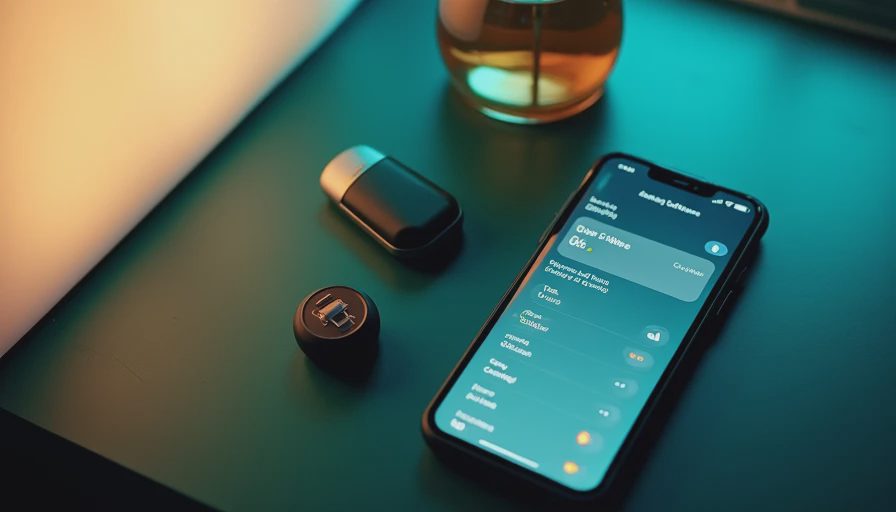
Comparing vehicles without creating noise
Cross-vehicle comparison is where structured records outperform social feeds. Filter by model, hardware package, software build, and test scenario before drawing a conclusion. If one Lucid reports a camera warning and another does not, check whether the vehicles share the same sensor revision and whether both drove through comparable conditions. A difference is a lead, not proof of a hardware defect.
A tracking app for OTA software versions Lucid Tag should make uncertainty visible. Use labels such as confirmed, reproduced, not reproduced, unresolved, and superseded. “Superseded” is especially useful when a later build changes the test conditions. It prevents an old report from being treated as the current state of the vehicle.
For used-car buyers, the timeline can answer practical questions. Was the issue present before the vehicle changed owners? Did a later release address it? Does the vehicle have a history of repeated failed updates or isolated glitches? A clean record does not guarantee perfect software, but a detailed record gives a buyer something better than a seller’s phrase about the system being fully updated.
What makes the record credible
Credibility comes from restraint. Do not label a feature fixed after one successful attempt. Do not call a regression when the route, phone, temperature, or account changed at the same time. Keep raw observations separate from conclusions, and publish the exact build string whenever the platform allows it. If private information appears in a screenshot, redact account identifiers and vehicle identification numbers before sharing.
A tracking app for OTA software versions Lucid Tag should also preserve edit history or at least the date of each revision. Software reports evolve. A symptom that first looks like a display crash may later prove to be a connectivity timeout. Updating the interpretation is good practice; silently replacing the original account is not.
The best archive is not the one with the most dramatic complaints. It is the one that lets another technically curious owner reproduce a result, compare a release, and decide whether a used vehicle deserves a closer inspection. Capture the version, control the test, record the failure, and let the evidence do the complaining.


No letters yet — be the first guest to write.